

As a website owner, you know that technical SEO is crucial for improving your search engine visibility and driving organic traffic. However, with so many factors at play, it can be overwhelming to know where to start.
By leveraging tools like Google Search Console and ensuring your technical foundation is robust, you can enhance your site’s visibility, ranking, and user experience.
1. Are There Any Pages Indexed but Blocked by Robots.txt?
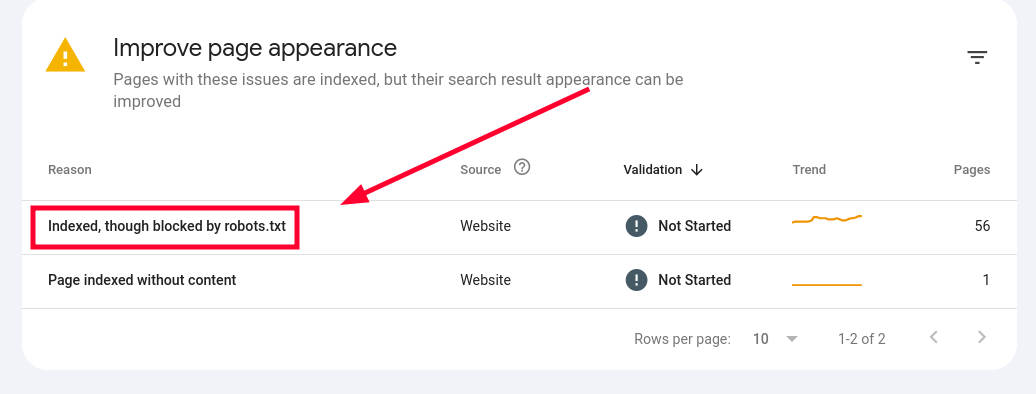
Pages indexed but blocked by robots.txt can create issues for search engines and negatively impact your site’s SEO. This occurs when a page is included in Google’s index despite being disallowed in the robots.txt file.
To check for this, use Google Search Console’s “Coverage” report and look for pages labeled as “Indexed, though blocked by robots.txt”
These pages can confuse search engines and waste crawl budget. To resolve this, either remove the blocking directive from robots.txt if you want the page indexed, or use a noindex meta tag if you want to keep it out of search results while allowing crawling.
Regularly auditing your robots.txt file and indexed pages helps maintain a clean and efficient site structure for search engines to crawl and index properly.
2. Are There Crawl Errors Reported in Google Search Console?
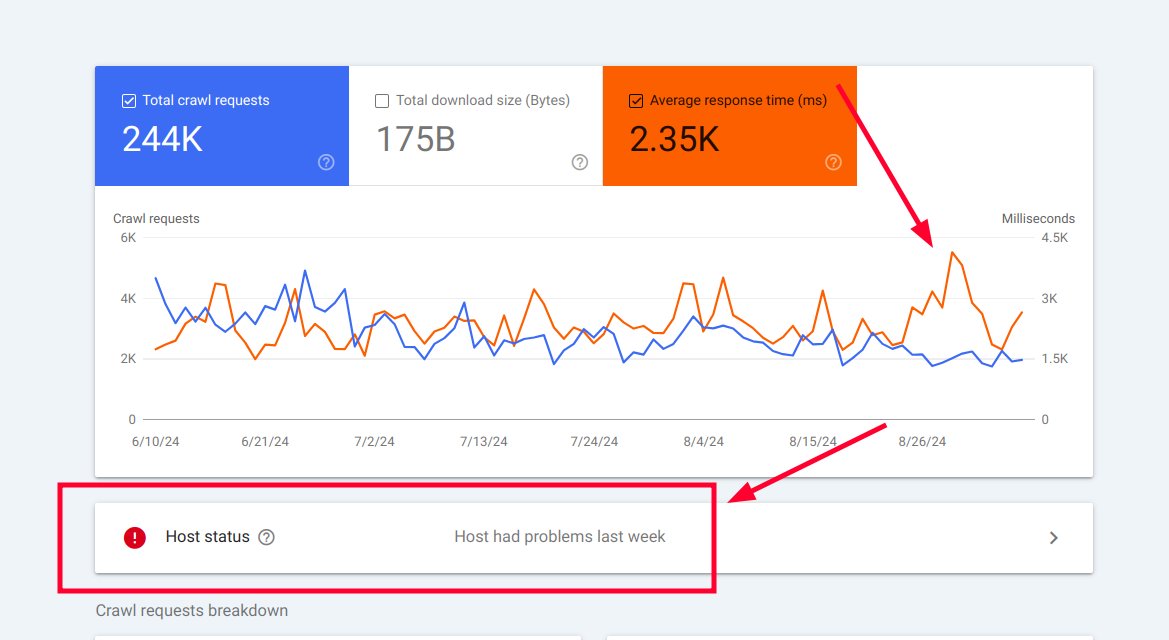
Crawl errors reported in Google Search Console can significantly impact your website’s search performance. These errors occur when Google’s bots encounter issues while trying to access pages on your site.
Common crawl errors include server errors (5xx), not found errors (404), and access denied errors (403)
To identify these issues, regularly check the “Coverage” report in Google Search Console, which provides detailed information about crawl errors and affected URLs. Addressing these errors promptly is crucial, as they can prevent important pages from being indexed and negatively affect your site’s overall visibility in search results.
Fixing crawl errors often involves resolving server issues, updating broken links, or adjusting your site’s robots.txt file to ensure proper access for search engine bots
3. Has Google Flagged Any Pages as Soft 404 Errors?
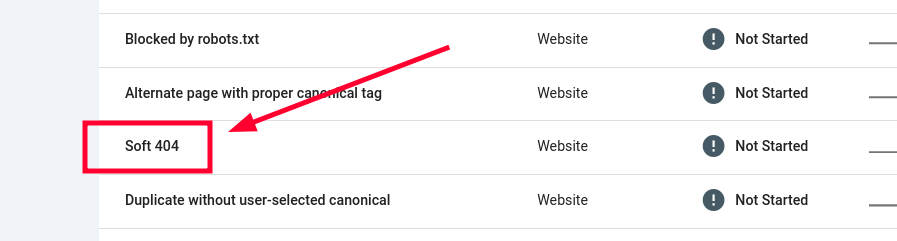
Soft 404 errors occur when a page returns a 200 OK status code but is perceived by Google as a “Page Not Found” error. These can negatively impact your site’s SEO by wasting crawl budget and confusing search engines.
To identify soft 404 errors, check the “Coverage” report in Google Search Console under the “Excluded” tab
Common causes include pages with little or no content, or those that closely resemble error pages. To resolve soft 404 errors, either add substantial, relevant content to the page, implement a proper 404 status code, or set up a 301 redirect to a relevant page if the content has moved.
Regularly monitoring and addressing soft 404 errors is crucial for maintaining a healthy site structure and optimizing your website’s crawlability and indexability.
4. Are Parameterized URLs Indexed on Your Site?
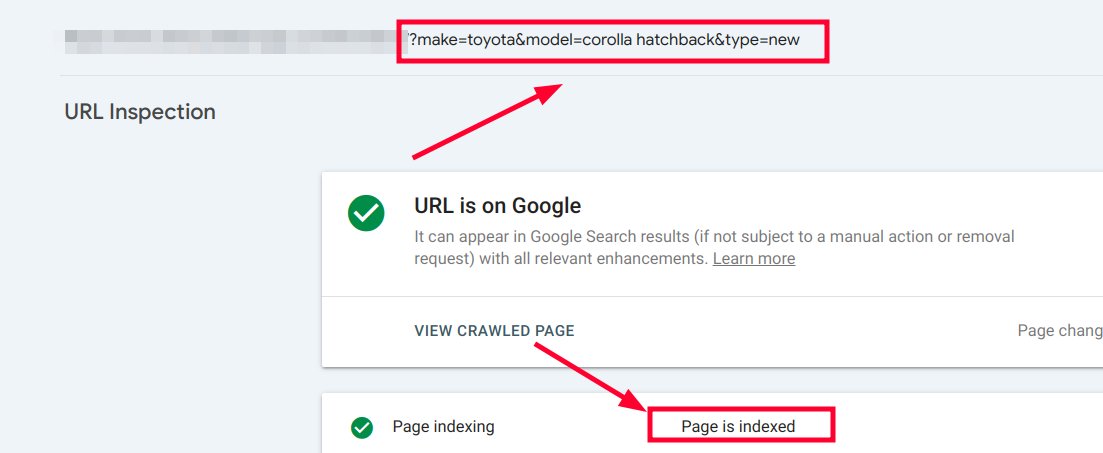
Parameterized URLs can pose challenges for search engine optimization if not properly managed. These URLs contain parameters (like “?id=123”) that can create duplicate content issues and waste crawl budget.
To check if parameterized URLs are indexed on your site, use Google Search Console’s URL Inspection tool or perform a site: search in Google with “inurl:?” to find indexed parameterized pages
If problematic parameterized URLs are indexed, consider using canonical tags to point to the preferred version of the page, implementing URL parameter handling in Google Search Console, or using robots.txt to block unnecessary parameters.
Properly managing parameterized URLs helps maintain a clean site structure, preserves link equity, and ensures efficient crawling and indexing of your important content.
5. Do Any of Your Pages Have Poor Core Web Vitals Scores?
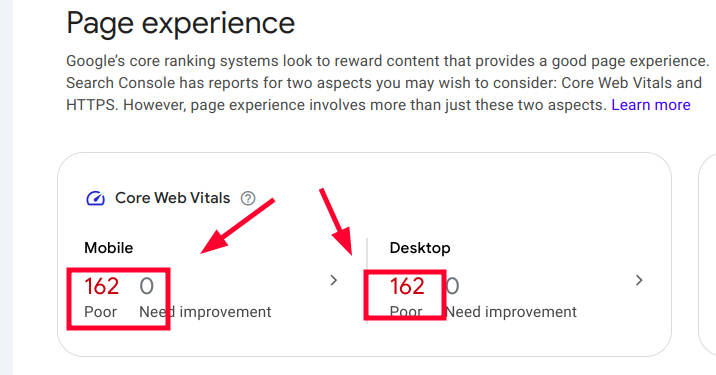
Core Web Vitals are crucial performance metrics that impact user experience and search engine rankings. To check your site’s Core Web Vitals scores, use Google Search Console’s Core Web Vitals report or PageSpeed Insights tool
Focus on optimizing three key metrics: Largest Contentful Paint (LCP) should be under 2.5 seconds, Interaction to Next Paint (INP) should be 200 milliseconds or less, and Cumulative Layout Shift (CLS) should be below 0.1.
If your pages have poor scores, consider implementing caching solutions, optimizing JavaScript execution, lazy loading images, and minimizing layout shifts.
Improving Core Web Vitals can enhance user experience, potentially boost search rankings, and increase user engagement and conversions. Regularly monitor and optimize these metrics to maintain a competitive edge in search results.
Technical SEO Services
Ready to take your website’s technical SEO to the next level? Don’t let technical issues hold back your search engine performance. Our professional Technical SEO Service can help identify and resolve the complex problems that may be impacting your site’s visibility and rankings. With expert analysis and tailored solutions, I’ll optimize your website’s technical foundation to drive more organic traffic and improve user experience.
Visit my technical SEO solutions overview to learn more about how we can boost your site’s performance and get started with a comprehensive technical SEO audit today.
Technical SEO FAQ
Here’s a concise FAQ section on technical SEO:
Frequently Asked Questions About Technical SEO
Q: What is technical SEO?
A: Technical SEO refers to optimizing the technical aspects of a website to improve its search engine visibility and crawlability. It includes factors like site speed, mobile-friendliness, indexing, and site structure
Q: How often should I conduct a technical SEO audit?
A: It’s recommended to perform a comprehensive technical SEO audit every 6-12 months, with more frequent checks for specific issues like crawl errors or Core Web Vitals scores
Q: Can technical SEO issues impact my rankings?
A: Yes, technical SEO issues can significantly affect your search rankings. Problems like slow page speed, poor mobile experience, or indexing errors can lead to lower visibility in search results.
Q: What tools are useful for technical SEO?
A: Some essential tools for technical SEO include Google Search Console, PageSpeed Insights, Screaming Frog, and SEMrush. These tools help identify and diagnose various technical issues.
Leave a Reply