

A technical SEO website audit is a systematic check of your website’s backend structure and technical elements to make sure search engines can properly crawl, index, and rank your pages. Think of it as a health check for the parts of your site that visitors don’t see but Google definitely cares about.
When I run an audit for a client, I’m not looking at their content or keywords (that comes later). I’m checking if the site’s foundation is solid enough to support everything else.
Why Technical Health Actually Matters
Here’s something most webmasters don’t think about: Google allocates a specific amount of resources to crawl your website, called your crawl budget. When your site is technically sound, Google can access and crawl it much more efficiently. That means you’re not wasting the processing budget Google has set aside for your site.
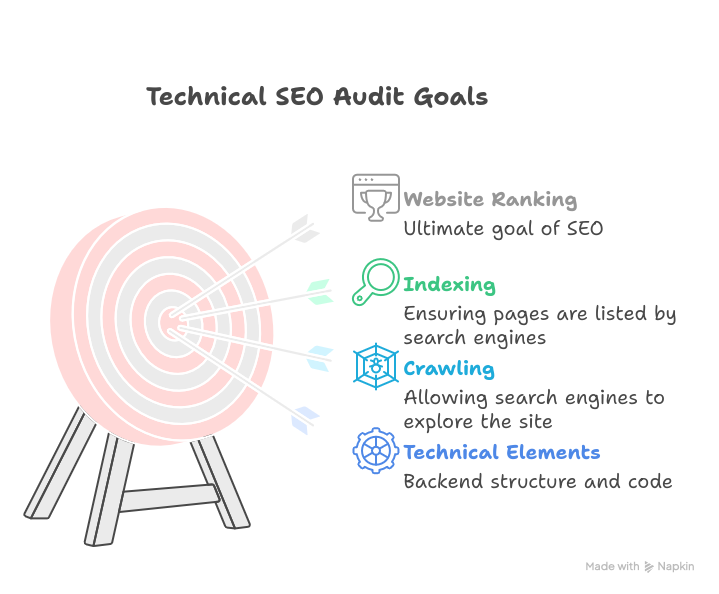
I’ve seen this play out dozens of times, a website with clean technical SEO gets crawled more thoroughly and more often. When you are playing nice with Google’s systems, that cooperation can translate to better indexing and, ultimately, better rankings.
What Actually Gets Checked
The audit covers the technical backbone of your website. I usually start with crawlability: can Google’s bots even access your pages fully? Sometimes a simple robots.txt misconfiguration blocks a critical website resource, and nobody realizes it until traffic tanks.
Site speed is another critical area. Core Web Vitals (which measure loading speed, interactivity, and visual stability) are confirmed ranking factors since 2021, and website speed matters even more because of what it does to user experience.
Great UX leads to better engagement rates, meaning people stay longer, click more, and bounce less. Google values these engagement signals because they want their users to have positive experiences. If your site loads slowly or feels clunky, users leave quickly, and Google absolutely uses those engagement metrics when evaluating page quality.
Mobile usability works the same way. Your site needs to work smoothly on phones and tablets because mobile experience directly affects how users engage with your content. Then there’s the XML sitemap and robots.txt file – these tell search engines which pages to index and which to ignore.
Other items on my checklist include duplicate content issues, broken links, HTTPS security, proper URL structure, and schema markup. Schema helps your pages stand out in search results with those rich snippets you sometimes see.
Why Bother With This?
Here’s what I tell clients: you can have the best content in the world, but if Google can’t read your site properly, you’re invisible. Technical problems create a ceiling on how well you can rank.
I’ve worked with businesses that wondered why their organic traffic was stuck. Many times, it’s technical issues holding them back: things like redirect chains, slow server response times, Google bot rendering problems, hidden duplicate content problems, or just plain indexing problems.
Fixing these problems doesn’t just help with rankings. It improves the actual user experience too. Faster load times and no jump or broken links: your visitors notice these things even if they don’t know why the site feels better.
When Should You Run One?
I recommend doing a technical audit at least every quarter. Websites are living and breathing, and they do change under the hood, such as when you add new pages, update plugins, and especially when you migrate hosting. Each change can introduce new problems.
You definitely need one if you’ve noticed a drop in traffic, if you’re launching a redesign, or if you’ve never done one before. Maybe you’re getting crawl errors in Google Search Console, or your pages aren’t showing up in search results like they should.
For a deeper look at this topic, I’d recommend checking out this YouTube video series by Ahrefs. They walk through a real technical SEO audit process with clear explanations and practical examples that make the whole thing less intimidating.
The Tools and Process
I use Screaming Frog for most of my audits. It’s honestly the best tool for this job because it crawls websites in real time and collects detailed data on broken links, duplicate content, missing metadata, and redirect chains. The tool gives you a complete picture of your site’s structure and identifies problems that would take hours to find manually.
What makes Screaming Frog particularly useful is its advanced features: it can handle JavaScript rendering, validate structured data, audit hreflang tags for international sites, and integrate with Google Analytics and Search Console to pull performance data directly into your crawl results. This article explains the specific benefits of why so many SEO professionals rely on it.
After crawling, I cross-reference everything with Google Search Console to see what Google is actually experiencing. Then I check page speed with tools like Google PageSpeed Insights, test mobile responsiveness, and review the site architecture.
The analysis part takes time. Each website is different, so cookie-cutter approaches don’t work well. After identifying issues, I prioritize them by impact. Some problems need immediate fixes (like site-wide crawl blocks), while others are nice-to-haves that can wait.
What Happens After
The audit itself is just a diagnosis. The real work is implementing the fixes. Depending on the issues, this might involve working with developers, adjusting server configurations, or updating site architecture.
I typically provide a detailed report with specific recommendations and priority levels. That way, you know exactly what needs attention first and what can be addressed later.If you’re dealing with technical issues on your site and want a professional analysis of what’s going on, I’d be happy to run a full audit for you. You can learn more about my technical SEO audit service and get in touch through the contact form there.
Leave a Reply